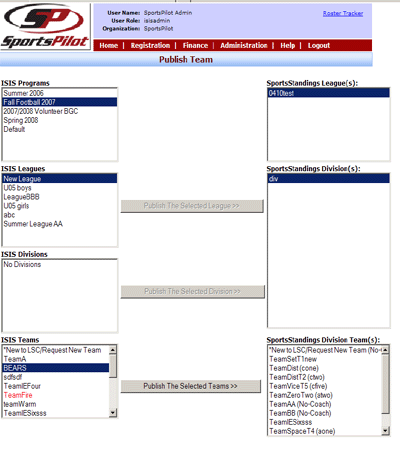
 Publish Teams
This feature coincides with SportsPilot’s scheduling application SportsStandings
and the SportsTech Scheduler.
Administrators can publish teams from within ISIS to SportsStandings.
-
Divisions must be entered in SportsStandings before publishing teams
-
Select the Program with the associated team to publish
-
Select the Leagues where your team is located
-
ISIS divisions are not required. This step can be skipped
-
Select the Teams you wish to publish to SportsStandings (Use CTRL to select
multiple teams)
-
In the right column, select the SportsStandings Leagues (SportsStandings League
name)
-
Select the SportsStandings Division (usually matches the league name in ISIS)
-
Select the Publish The Selected Teams button
|
|